On this page
database
Assets
Here are your assets on the stock markets.
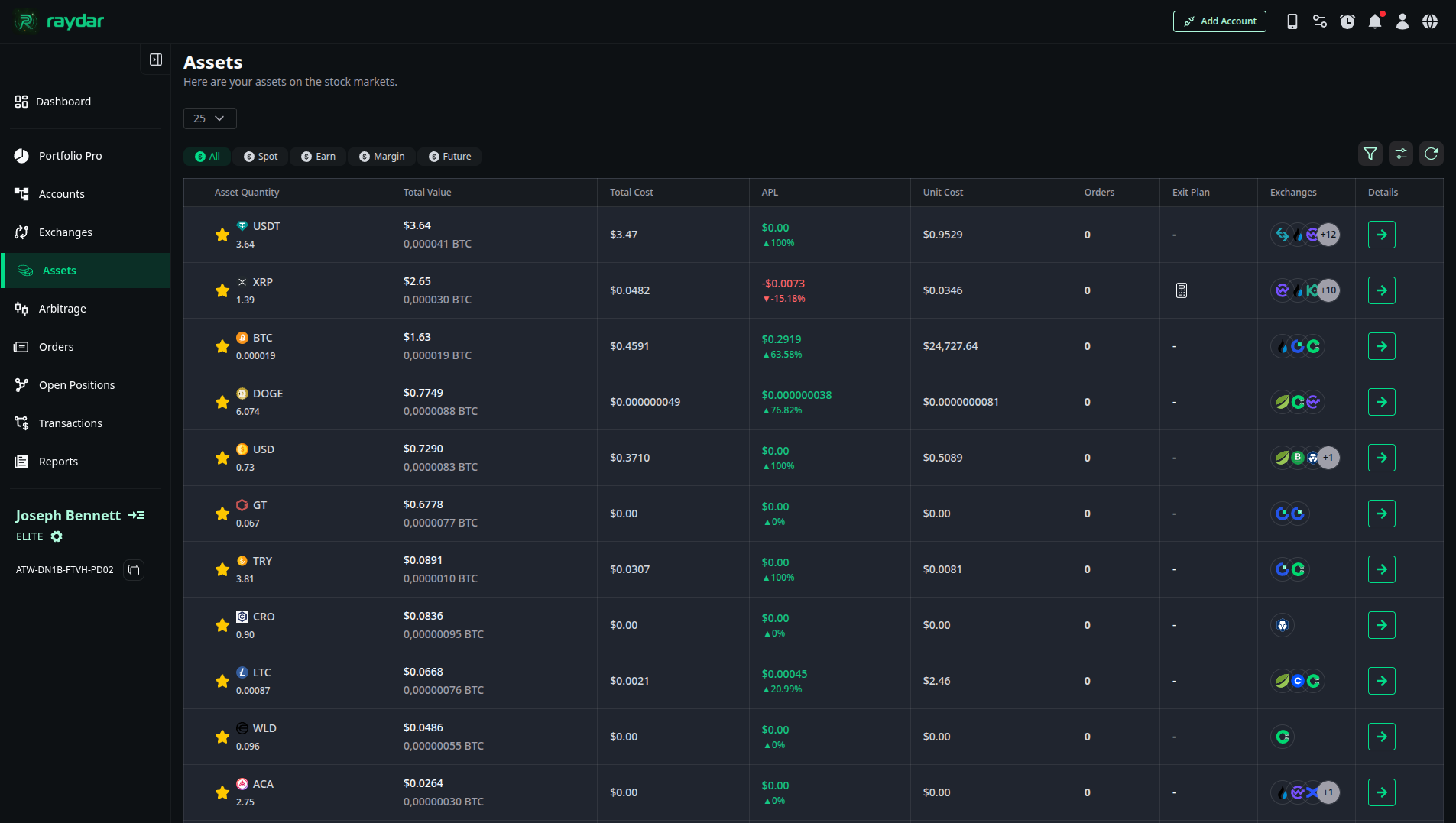
Asset List and Metrics
The following key data is presented for each asset in this list:
- Asset Quantity: The total amount of that asset (e.g., USDT, XRP, BTC) you hold.
- Total Value: The total Dollar ($) and BTC value based on the current market price.
- Total Cost: The total cost incurred to acquire the asset.
- APL (Average Profit/Loss): Your total profit or loss status based on your average cost (in Percentage and Dollar terms).
- Unit Cost: Your average unit cost for the asset.
- Exchanges: Icons indicating which exchanges hold this asset.
Exit Plan (Calculator)
In cases where you are in a loss or want to lower your average cost, you can develop a strategy by clicking the calculator icon in the “Exit Plan” column.
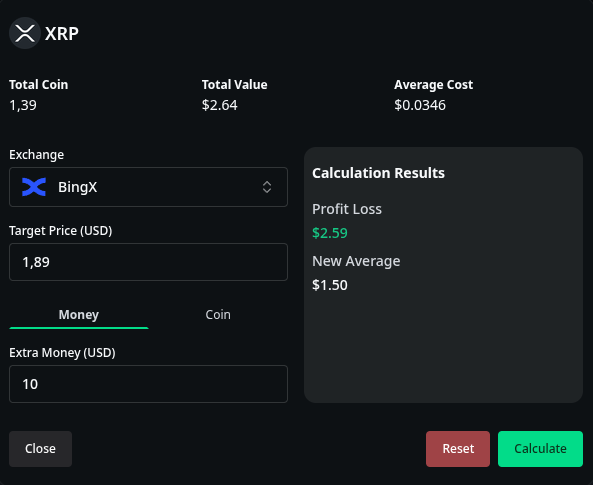
This tool helps you with the following:
- Target Price: Enter your target selling price.
- Extra Money: Enter the amount of additional funds you can invest (buy more).
- Result: The calculation simulates what your New Average cost will be with the additional investment and projects your profit/loss at your target price.
Detailed Asset Analysis
When you click the “Details ->” button (or the green arrow) on the far right of any asset row (e.g., XRP), a breakdown of that asset by exchange and wallet type expands.
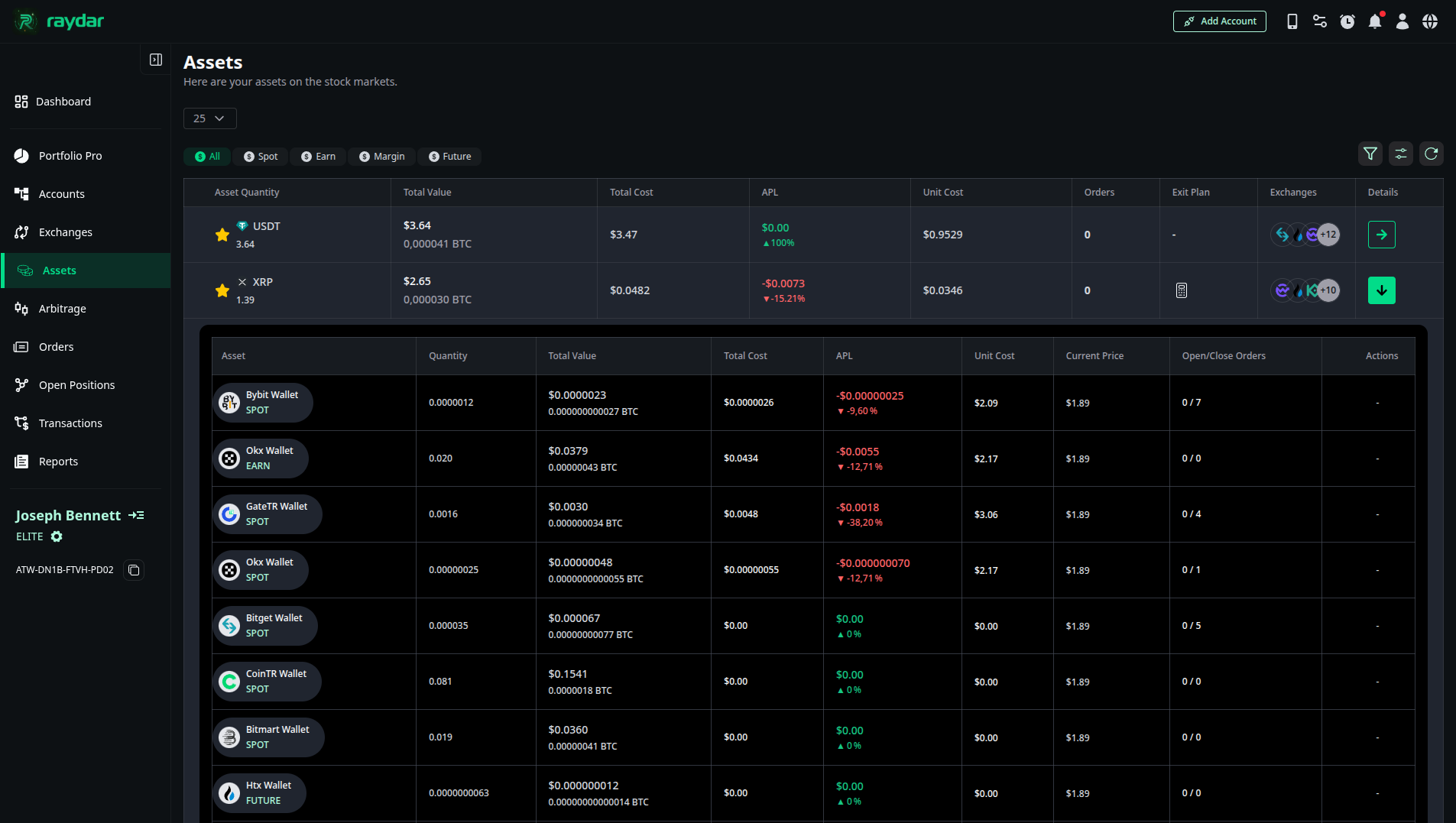
This detailed view separates where the asset is located by exchange and wallet type (Spot, Future, Earn, etc.):
- Wallet Type: The exchange and wallet category where the asset is held (e.g., Bybit Wallet SPOT, Okx Wallet EARN).
- Quantity & Value: The quantity and value specific to that exchange.
- APL & Unit Cost: Profit/loss and cost metrics specific to trades on that exchange.
- Open/Close Orders: Shows the count of open (pending) and closed (completed) orders for that asset on the relevant exchange.