On this page
candlestick_chart
Exchanges
All the exchanges you are connected to are listed here.
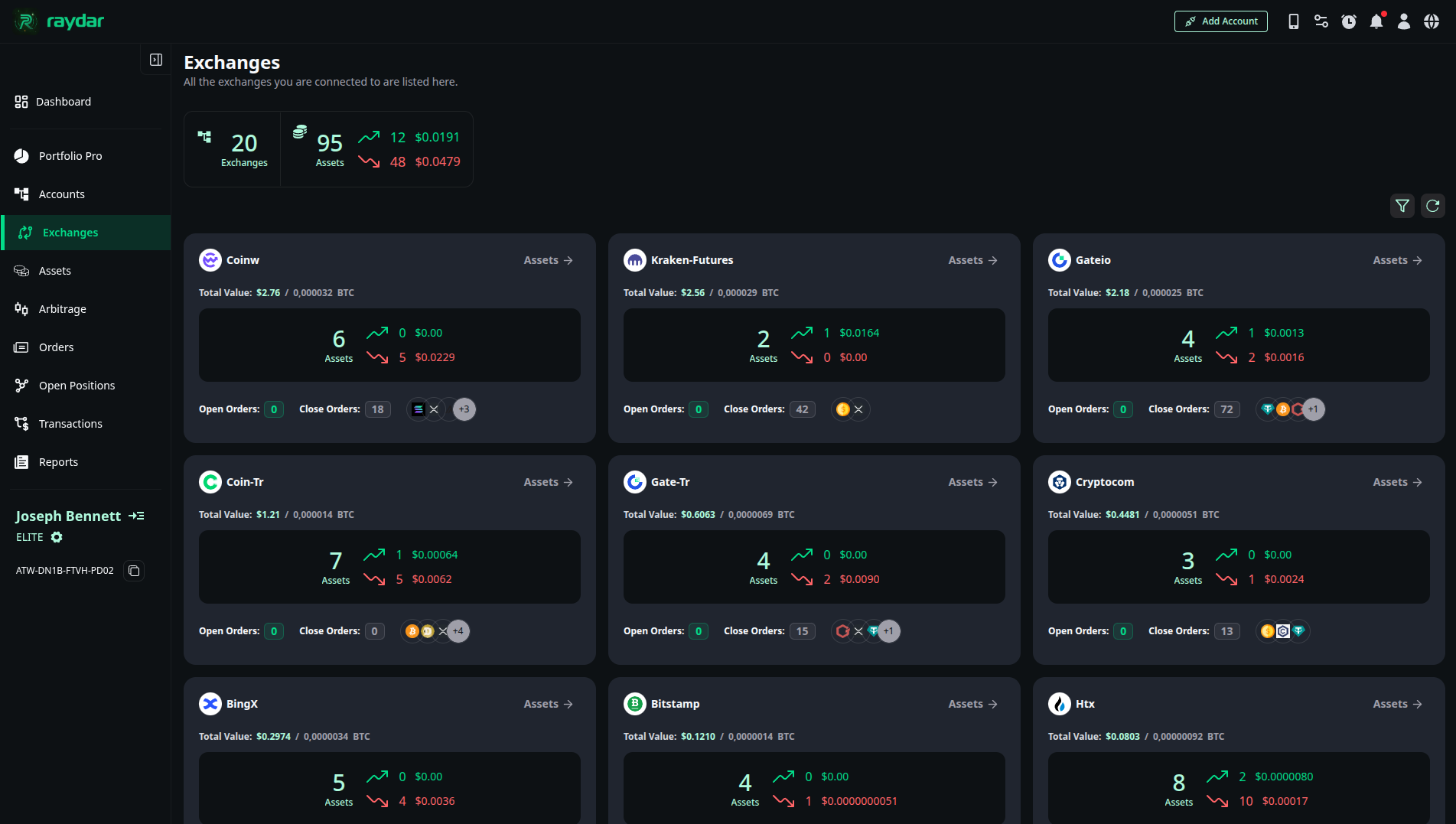
General Performance Summary
The information panel in the top left corner summarizes your overall status across all exchanges:
- Exchanges: Total number of exchanges connected to Raydar (e.g., 20).
- Assets: Total number of assets (coins) distributed across all exchanges.
- Profit/Loss Indicators: The ▲ (Green) and ▼ (Red) values next to the Assets count indicate how many coins are in profit and how many are in loss, along with their monetary equivalents.
Exchange Cards
Each exchange (e.g., Coinw, Kraken, Gate.io) is represented by its own performance card. On these cards, you can see:
- Total Value: The total Dollar ($) and Bitcoin (BTC) value of your assets on that exchange.
- Assets Breakdown: The number of coins on that exchange, showing how many are in profit ▲ and how many are in loss ▼.
- Order Status: The count of Open and Closed orders on the relevant exchange.
- Assets Button: Click the “Assets ->” text in the top right corner of the card to navigate to that exchange’s detail page.
Exchange Details
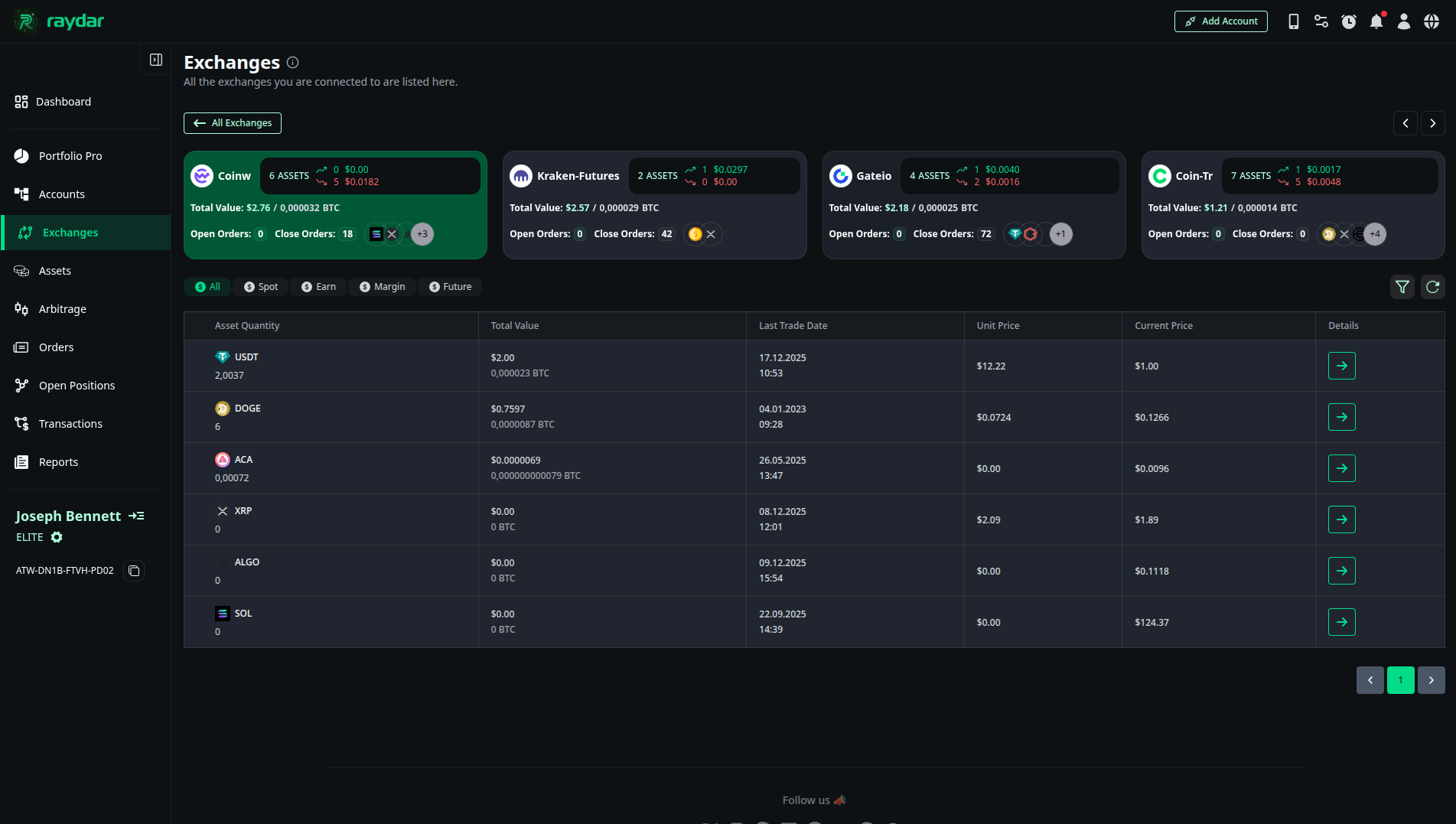
When you click the “Assets” link on an exchange card, a detailed asset list specific to that exchange opens.
Asset List
Coins on the selected exchange (e.g., USDT, DOGE, XRP) are presented in a list. The table includes the following data:
- Asset Quantity: The quantity you hold.
- Total Value: The total value of the asset.
- Last Trade Date: The date of the last trade made with that asset.
- Unit Price: Your average unit cost.
- Current Price: The current market price.
Asset Transaction History
When you click the detail (arrow) button on the far right of any coin in the list, the full history of buy/sell transactions specific to that coin expands below the list.
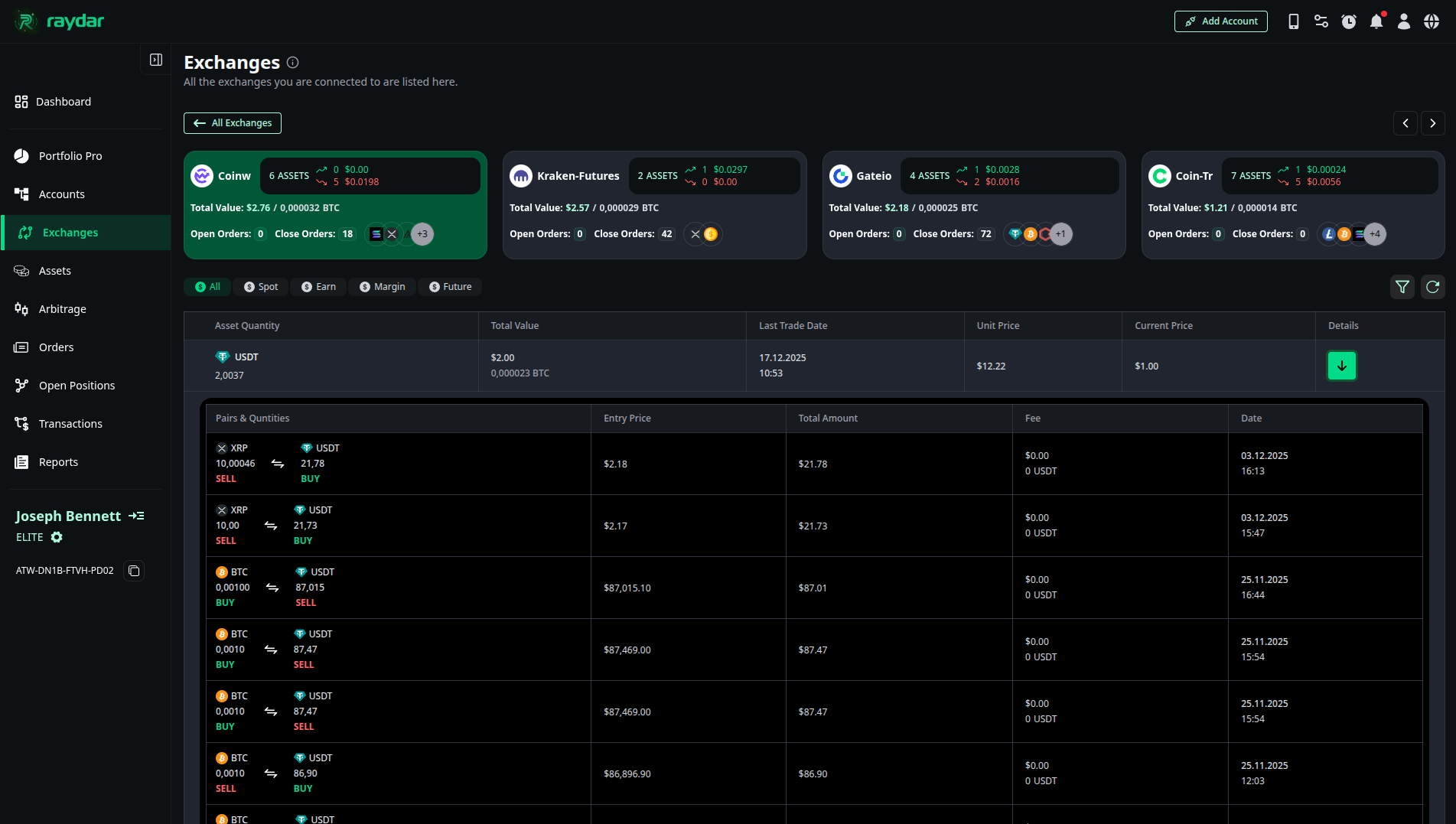
In this area, you can view the following details of your transaction:
- Entry Price: The unit price at the exact moment the transaction occurred. You can measure the success of that trade by comparing it with the current market price.
- Total Amount (Volume): Shows how many coins were bought or sold in that transaction and the total monetary size of the trade.
- Fee (Commission): The transaction fee deducted by the exchange. It is important to consider this cost when calculating your net profit.
- Date (Timestamp): The exact date and time the transaction took place.