On this page
list_alt
Orders
All your orders on the exchanges are here.
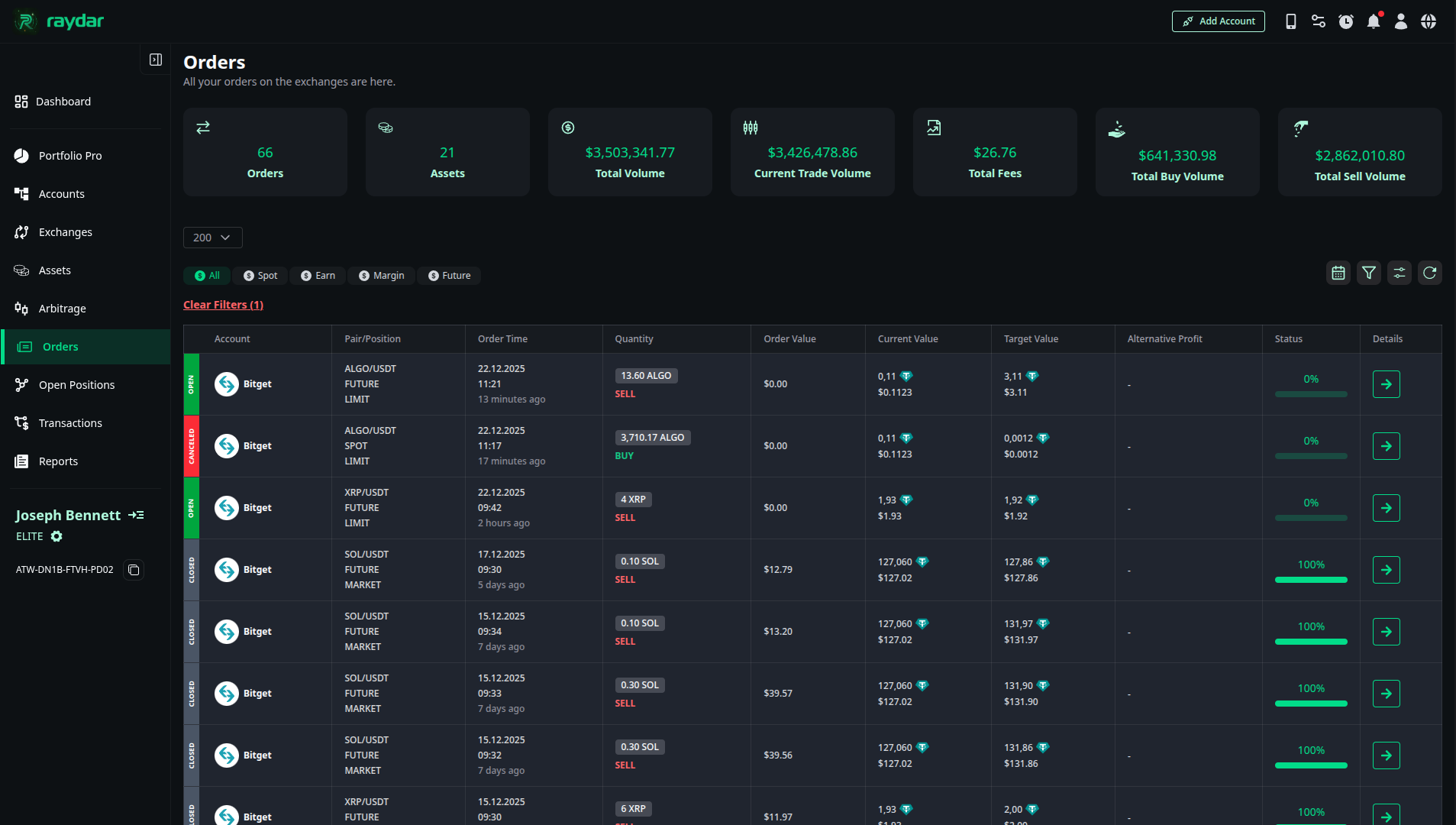
General Order Statistics
The panel at the top of the page offers a macro-level summary of your order history:
- Total Orders / Assets: The total number of orders placed and how many different assets (coins) these orders cover.
- Volume Metrics:
- Total Volume: The total trading volume generated by all orders.
- Current Trade Volume: The volume of currently active trades.
- Total Buy / Sell Volume: A breakdown of total buy and sell volumes.
- Total Fees: The total commission amount paid for transactions to date.
Order List and Statuses
The list below displays each order in detailed rows. The colors on the left of the rows indicate the status of the order:
- Color Codes:
- ● Green (Open): Pending orders that have not yet been executed.
- ● Gray (Closed): Successfully completed transactions.
- ● Red (Canceled): Orders that have been canceled.
Details Displayed in the List:
- Exchange & Pair: Which exchange (e.g., Binance) and which pair (e.g., BTC/USDT) the transaction was made on.
- Type & Side:
- Market Type: Spot, Margin, Earn, and Futures.
- Order Type: Limit (At a set price) or Market (At current price).
- Side: Buy or Sell.
- Values:
- Order Value: The total value at the time the order was placed.
- Current Value: The current value of the asset.
- Target Value: The targeted value (if applicable).
- Quantity & Time: The transaction quantity and the timestamp of the order.
Order Details
When you click the arrow button on the far right of any order in the list, a panel containing the technical details of that order expands.
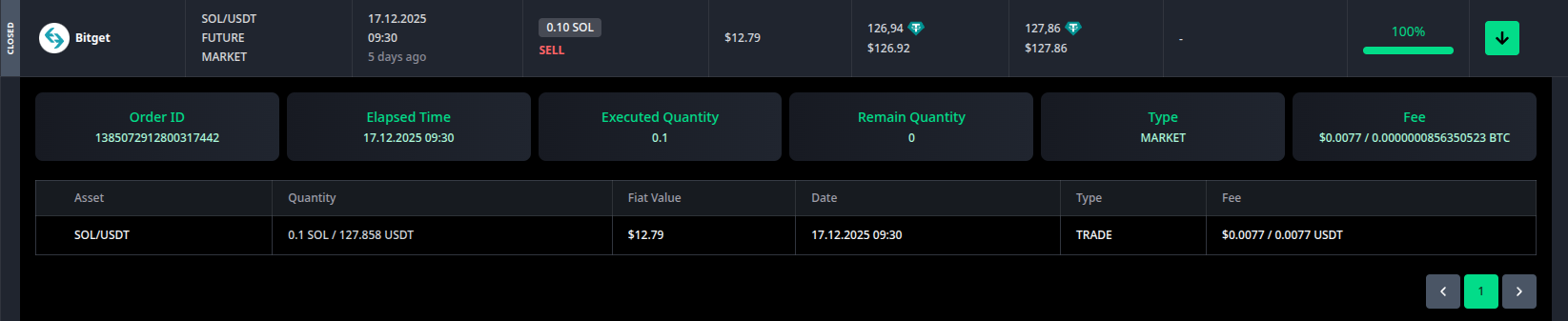
In this area, you can analyze the execution process of the transaction:
- Execution Info:
- Order ID: The official order number on the exchange.
- Executed / Remaining Qty: How much of the order has been filled and how much is still pending.
- Elapsed Time: The time taken for the order to be executed.
- Transaction Breakdown: Granular details such as Quantity, Date, Fee paid, and Type are listed here on an asset basis.