Taxes
Calculate your taxes based on your transactions and holdings.
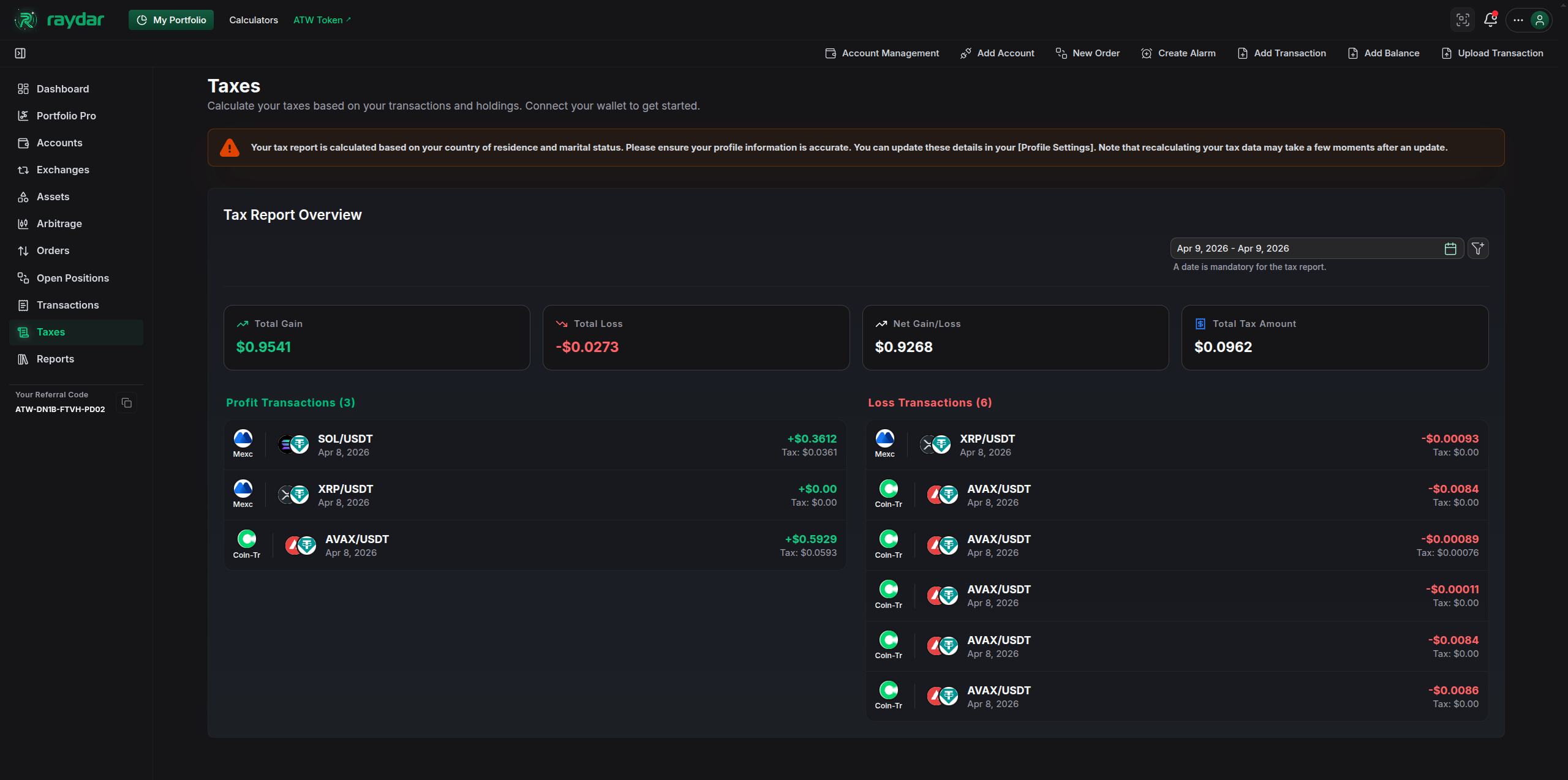
The Taxes page allows you to calculate your taxes based on your transactions and holdings across all connected wallets and exchanges.
Profile Settings and Tax Rates
Since tax regulations vary significantly by country, your tax liability will automatically adjust when you change your country in your Profile Settings.
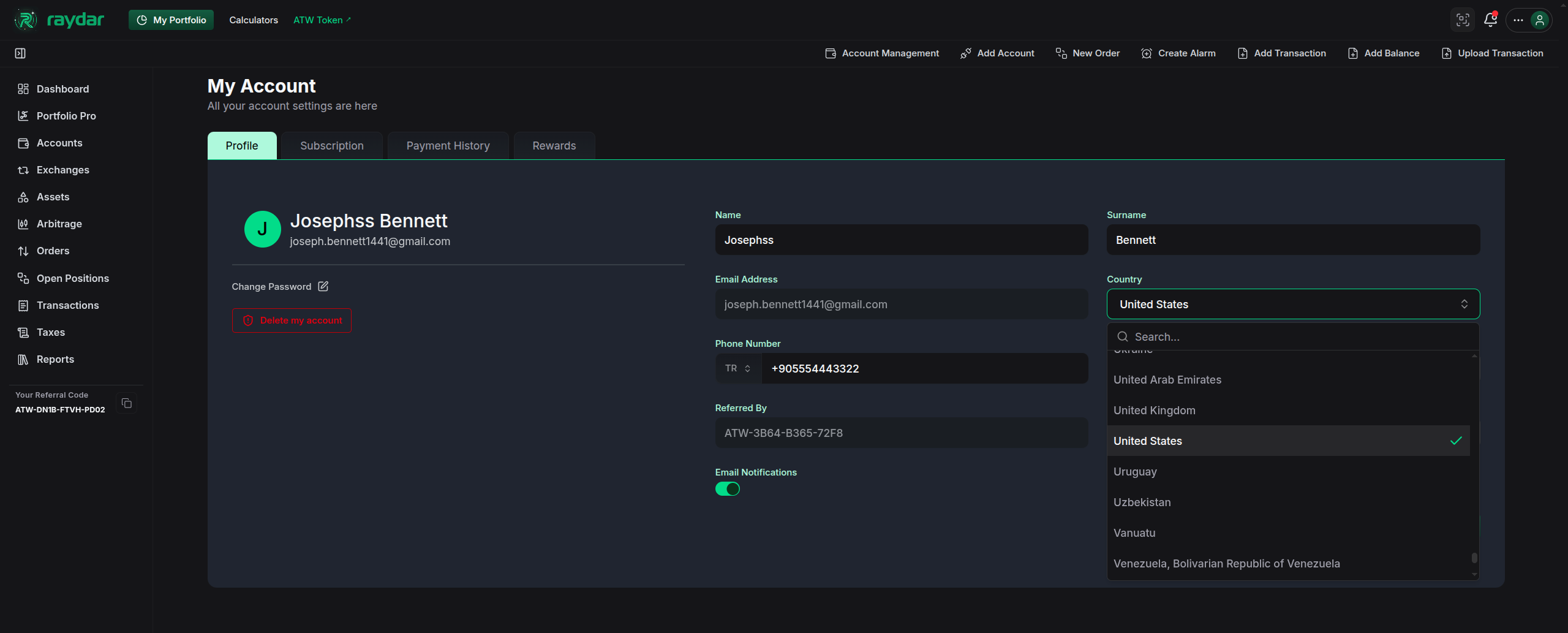
Make sure your country of residence is up to date to get the most accurate tax report for your transactions.
Tax Report Overview
At the top of the Taxes page, you can define the time period for your tax calculation and view high-level metrics.
- Date Filter: Use the calendar filter in the top right (e.g.,
Jun 1, 2025 - Jun 24, 2026) to limit your tax calculations to a specific financial year or custom date range. - Total Gain: The sum of all your profitable transactions during the selected period.
- Total Loss: The sum of all your loss-making transactions during the selected period.
- Net Gain/Loss: Your overall net gain or loss, calculated by subtracting your Total Loss from your Total Gain.
- Total Tax Amount: The estimated total tax you owe on your net gains, calculated dynamically based on your profile’s country settings.
Transaction Breakdown
Below the overview, the dashboard breaks down your transactions into two detailed lists for transparency.
Profit Transactions
This section lists all individual trades that resulted in a profit. For each transaction, you can see:
- The connected exchange or wallet
- The trading pair (e.g.,
USDT/TRY,LTC/USDT) - The exact date of the transaction
- The profit amount in your chosen fiat currency
- The calculated tax for that specific transaction
Loss Transactions
This section lists all individual trades that resulted in a loss. Similar to the profit list, you can view:
- The connected exchange or wallet
- The trading pair
- The exact date of the transaction
- The loss amount in your chosen fiat currency
- The calculated tax deduction or zero-tax entry for that specific transaction